Fynix
A backend agnostic reactive view tree, styled the way Typst styles a document.
Free and open-source forever!
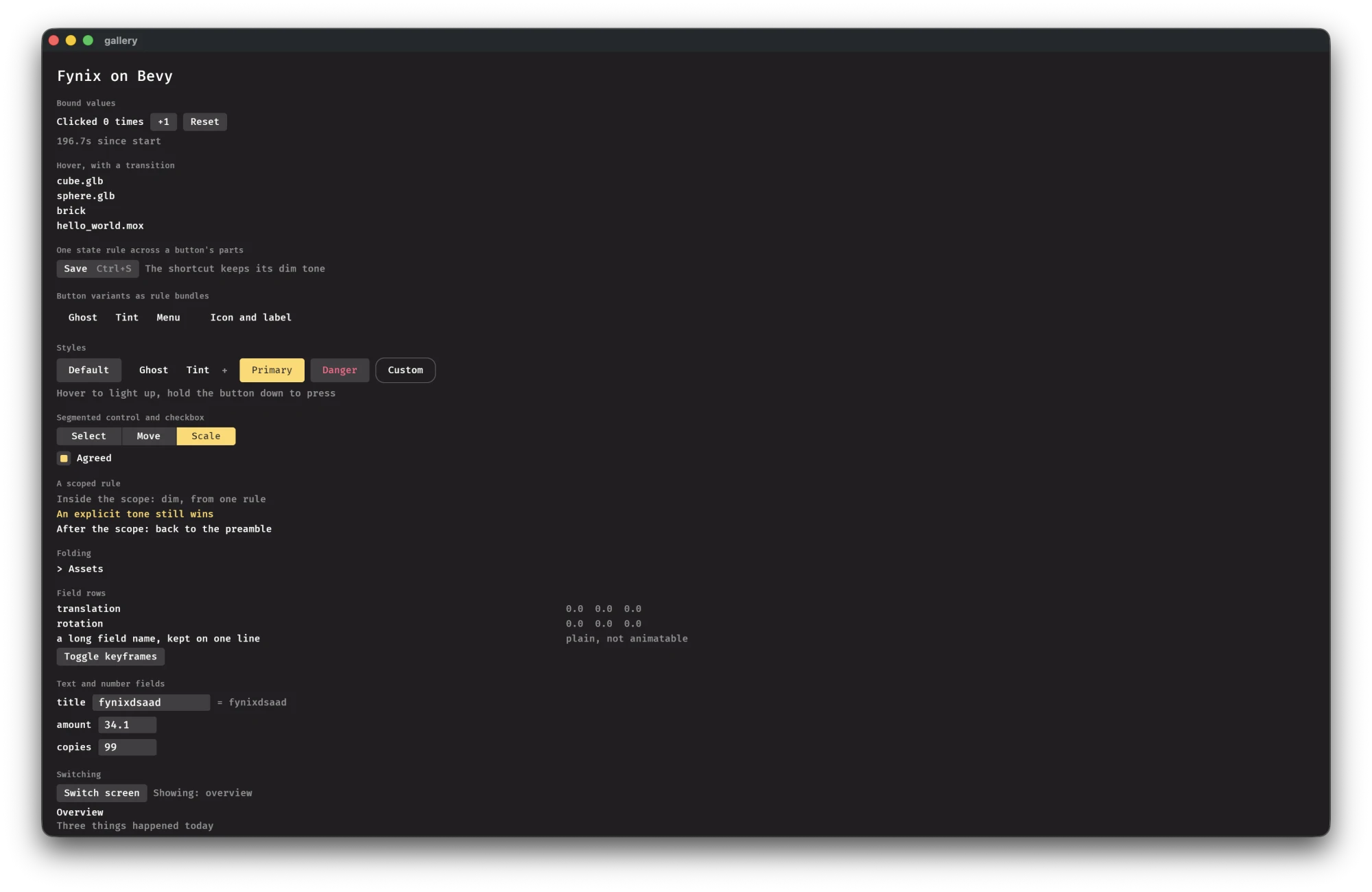
The Bevy backend’s gallery example.
One View, Any Theme
A view reads token traits. Each card below is the same code under a different theme.
/// One card, written once. Its colours, sizes, corners and curves
/// all come from the theme it is built with.
fn card<T: Theme>() -> impl View<Web, T> {
    column((
        label("Deploy to production").bold(true),
        label("All checks passed.").tone(Tone::Dim),
        row((
            button(label("Later")).rules(ghost),
            button(label("Deploy")).rules(primary),
        ))
        .justify(Justify::End),
    ))
    .rules(panel)
    .transition(Motion::Interact)
}

/// The same card under three themes.
fn mount(
    dark: &mut Ui<Monokai>,
    light: &mut Ui<Paper>,
    sweet: &mut Ui<Candy>,
) {
    dark.mount(card());
    light.mount(card());
    sweet.mount(card());
}Set and Show Rules
Set rules fill what the call site left unset. Show rules win over it. Both end with their scope, as in Typst.
fn rules(cx: &mut Cx<'_, Web, Monokai>) {
    cx.scope(|cx| {
        // Every label from here on is small and dim...
        cx.set::<Label>(|l, _| l.size(12.0).tone(Tone::Dim));
        cx.build(label("A set rule: small and dim"));
        // ...unless its call site says otherwise.
        cx.build(label("The call site wins: big").size(22.0));
        // A show rule wins over the call site.
        cx.show::<Label>(|l, _| l.tone(Tone::Accent).bold(true));
        cx.build(
            label("A show rule wins: accent").tone(Tone::Critical),
        );
    });
    // The scope ended, and its rules with it.
    cx.build(label("After the scope: plain again"));
}Hover It
A state rule holds while its view is hovered or pressed, and .transition(..) makes the change glide.
fn buttons() -> impl View<Web, Monokai> {
    row((
        button(label("Cancel")).rules(ghost),
        button(label("Save")).rules(primary),
        button(label("Delete")).rules(danger),
        // A look of its own, written in place.
        button(label("Hover me"))
            .when_in::<Hovered, _>(|cx: &mut Cx<Web, Monokai>| {
                cx.root(|cx| {
                    cx.set::<Frame>(|f, t| {
                        f.fill(t.accent()).scale(1.1)
                    })
                });
                cx.set::<Label>(|l, _| l.tone(Tone::OnAccent));
            })
            .when_in::<Pressed, _>(|cx: &mut Cx<Web, Monokai>| {
                cx.root(|cx| cx.set::<Frame>(|f, _| f.scale(0.9)));
            }),
    ))
    .gap(12.0)
    .transition(Motion::Interact)
}Hover and press the buttons.
Lists That Animate Themselves
each keeps a view for every key that stays. New rows make room and fade in; dropped ones fade out and close the gap.
fn list() -> impl View<Web, Monokai> {
    column((
        row((
            button(label("Add")).rules(primary).on_click(|world| {
                let rows = world.get_mut::<Rows>();
                rows.ids.push(rows.next);
                rows.next += 1;
            }),
            button(label("Remove")).on_click(|world| {
                let rows = world.get_mut::<Rows>();
                if !rows.ids.is_empty() {
                    rows.ids.remove(0);
                }
            }),
            button(label("Reverse")).on_click(|world| {
                world.get_mut::<Rows>().ids.reverse()
            }),
        )),
        each(
            resource::<Rows, _>(|rows| rows.ids.clone()),
            |id| *id,
            |id| {
                item(*id)
                    .appear(hidden)
                    .transition(Motion::Expand)
                    .boxed()
            },
        )
        .within(column(()).gap(6.0)),
    ))
    .gap(14.0)
    .transition(Motion::Interact)
}Add, remove and reverse the rows.
Backend Agnostic
A backend says what a world and a node are. Everything above it runs unchanged, which is how this page runs Fynix on the DOM.
Build Your Own Backend →Start With Bevy
Labels, frames, buttons in ready-made looks, popups and docking panes, on bevy_ui.
Set Up Bevy Fynix →